
Feature Superpower #1
Multi-Account Workspace Engine:
Zero Chrome Profile Hopping
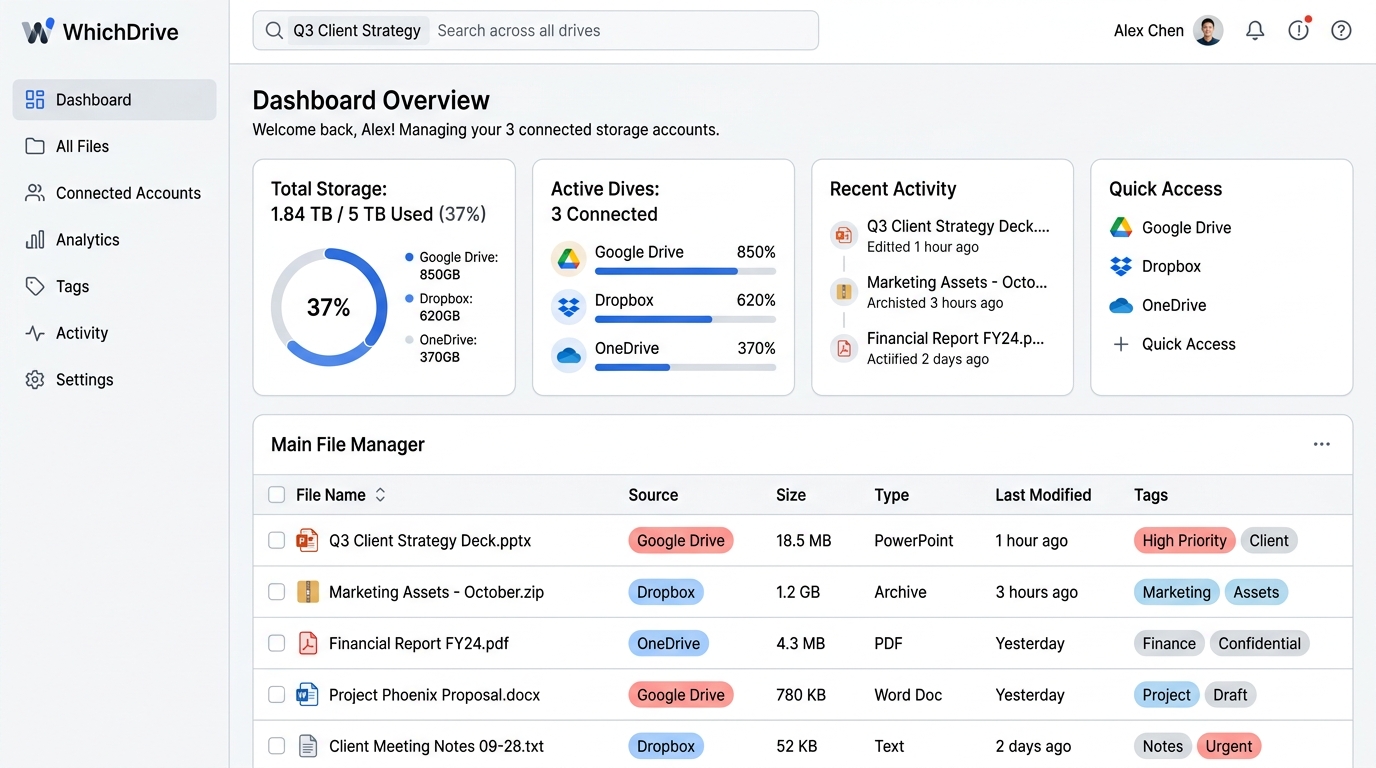
Tired of signing out of personal Google accounts to open client work files? WhichDrive's multi-account engine links all your Google, Dropbox, and OneDrive handles into one master workspace.
Multi-Account Workspace OverviewZero Profile Switch
Why Multi-Account Engine Matters
Engineered for seamless account unification and metadata organization.
Single Universal Dashboard
View all files, folders, and storage quotas in one continuous index view without jumping between account drop-downs.
Custom Drive Category Tagging
Assign custom tags (Work, Personal, Client, Side Hustle) to keep files organized by context across your workspace.
Isolated OAuth Token Vault
Each connected Google account maintains separate AES-256 encrypted refresh tokens for military-grade security.
1-Click Drive Addition
Connect a new Google Drive handle in less than 15 seconds with Google OAuth 2.0 authorization.
Connect Your Cloud Accounts Free
Start organizing all your accounts in one place today.